Scientific Graphics Training
Clear, publication‑ready figures for scientific and technical communication
Modern organisations increasingly expect scientists, engineers, and technical staff to produce their own publication‑ready figures — yet most people have never been trained in the technical, aesthetic, and practical skills required to do this well. The result is often unclear figures, inconsistent branding, and time‑consuming trial and error.
This focused half‑day workshop teaches participants how to create clear, professional graphics that communicate effectively and meet the requirements of journals, reports, and internal documentation. It is designed specifically for scientific and technical audiences and can be delivered as a standalone session or as part of a wider professional skills training package.
To ensure a low barrier to entry, the course is taught using standard Microsoft Office along with free and open‑access software, including SciDAVis, Inkscape, yEd Graph and GIMP. These tools allow participants to continue producing high‑quality figures without needing commercial licences.
Why this course matters
Specialist graphics and publishing teams have largely disappeared from research organisations. Scientists and technical staff are now expected to:
- produce figures that are clear at final printed size
- choose appropriate vector or bitmap formats
- export correctly for Office, promotional publishing, and journal workflows
- maintain consistent branding (colours, fonts, line weights)
- ensure figures remain legible when projected or embedded
Without training, these tasks are time‑consuming and error‑prone, and unclear figures can undermine otherwise excellent work. This workshop provides a practical framework and set of tools to make figure production faster, more consistent, and more effective.
What the course covers
1. Formats and workflows
Participants learn:
- the difference between vector and bitmap formats
- when to use EMF, SVG, PDF, PNG, TIFF, JPEG, etc.
- how different software handles vector graphics
- how to export figures correctly for journals, reports, and presentations
- how to avoid common pitfalls that degrade quality
All demonstrations use SciDAVis, Inkscape, and GIMP — ensuring participants can replicate the workflow immediately.
2. Clarity and visual design
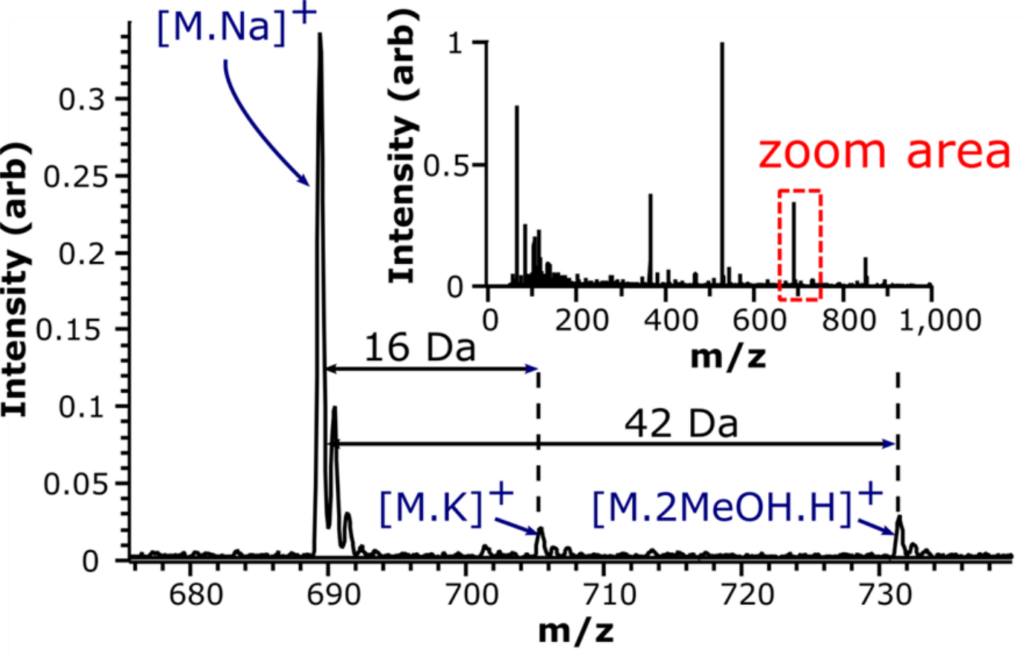
We focus on making figures easy to read and interpret:
- avoiding figure congestion and unnecessary detail
- designing for the final printed or projected size
- choosing accessible colour palettes
- using line weights, fonts, and spacing consistently
- ensuring that key messages are visually obvious
3. Branding and consistency
Participants learn how to:
- apply company or project branding to figures
- use consistent colours, fonts, and layout across multiple figures
- create simple internal “house style” guidelines for graphics
- align figures with wider organisational communication standards
4. Practical examples and live critique
The workshop is highly applied and includes:
- real examples of good and bad scientific graphics
- live improvement of example figures
- discussion of participants’ own figures (where provided)
- practical tips for speeding up figure production
The emphasis throughout is on producing figures that are clear, honest, and fit for purpose.
Who is this course for?
This workshop is designed for:
- scientists, engineers, and technical staff
- R&D teams and project groups
- early‑career researchers
- anyone producing figures for journals, reports, posters, or presentations
It is particularly valuable for teams who regularly publish or report technical results and want to improve the clarity and consistency of their visual communication.
Our background and experience
We have delivered scientific graphics and communication training for more than 15 years across academia, and industry. Our approach is grounded in real R&D practice: as an active research and development company, we use these methods daily in our own technical projects.
Our training was originally developed to support researchers communicate their data better, and has since been delivered to researchers in the UK, US, and Europe. This ensures that the workshop is practical, realistic, and directly applicable to the environments in which participants work.
Delivery options
- On‑site or online delivery
- Uses free and open‑access software (SciDAVis, Inkscape, GIMP) alongside MS Office (could also use LibreOffice if needed)
- Can be combined with other professional skills modules
- Optional one‑to‑one figure review or follow‑up sessions
Contact
To discuss delivery options, integration with your existing training, or to request a quote, please get in touch via our contact page or your usual Vibrat‑Ion contact.